

By Rachel Guise, PPS Editor
XML is a language very similar to HTML used to create and format a document. The key difference is that XML is human language as opposed to HTML’s computer language. Take a look at PPS’s earlier blog for a more in-depth explanation of XML. To some, XML may be intimidating as it appears that it can’t be easily created or edited, but that’s not the case. Once you’re familiar with the basics of XML, editing is as smooth as working in a Word document.

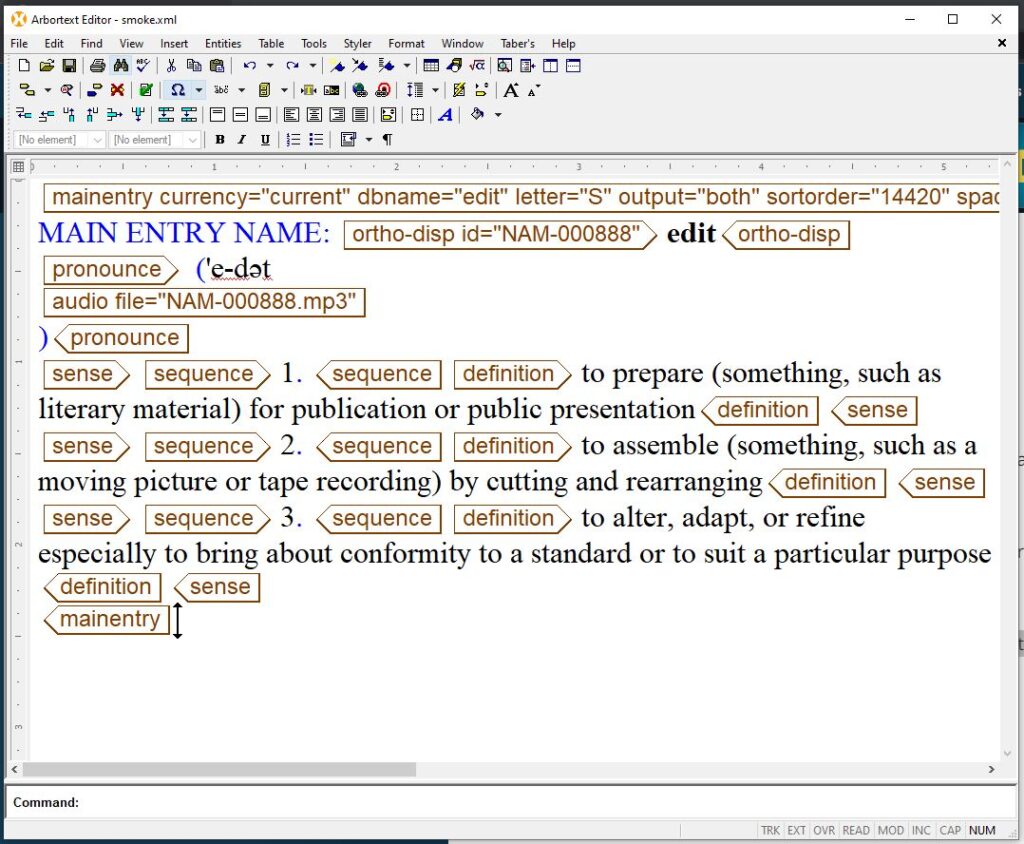
Editing: It’s not that different!
A key piece of information regarding XML editing is knowing that all text requires an opening tag and a closing tag. These tags signal the computer software that this element has a specific design. Here are some examples:
<title>This Is the Title of My Book</title>
<author>My Name</author>
<para>The book titled <italic>Book Title</italic>is about this person’s life.</para>
Each tag is placed within carrots and each closing tag begins with a forward slash. Many XML software programs have a notification setting to alert the writer when and where a tag is missing or incorrect.
After understanding the different tags, the content can be created or edited just like any other file. The use of bold, italics, colors, and many more elements are made possible with the use of these tags.
Benefits of XML Software
Appuals lists five free editors you can use to create or edit an XML document. They include tips and screenshots that you may find useful.
Many software programs offer a split view to make creating and editing even easier. In one half you’ll see the XML tags. The other half will show your content without tags and usually formatted per the tag design specifications. There are some software programs, like Arbortext, where you have to change the view of your document in order to see your content with and without tags.
The fact that XML is a human language makes it much more user-friendly, even for people who are not tech-savvy. The tags are usually self-explanatory and easy to decipher, and they can be changed to reflect the type of document you’re writing or for your intended user audience.
Reading XML Without an XML Viewer
Viewing an XML file in an Internet browser is just as easy as viewing any other document. For example, open a new tab in Chrome and drag the file in to open it. You could also right click on the XML file and use the “Open with” option to select your preferred browser.
If you don’t want to use a browser to view the XML data, you can use a text editor like Notepad. Open the text editor program, select the “Open” option from the menu, and select your file. Note that any edits made in a text editor will not be transferred into the final XML file.
XML and Excel
XML data is often converted to other formats for easier use. One way of doing this is creating Excel spreadsheets from the data to better organize and analyze the data. This step also makes ingesting the data into other programs easier and more manageable.
Why XML?
XML creates a simplified publishing process by making it easier to ingest content into multiple formats—some of the most popular choices being PDFs and ePUBs. It’s also easier to reuse designs and layouts in other programs like InDesign. Once you’ve decided to create XML and have your software program selected and mastered, the creation, editing, and publication is easy!